Features
Everything in Madi works around one live schedule.
Plan dependencies, adjust dates, track context, and share a readable timeline without rebuilding status decks.
Madi is best for editing on desktop. Mobile is review-only during beta.
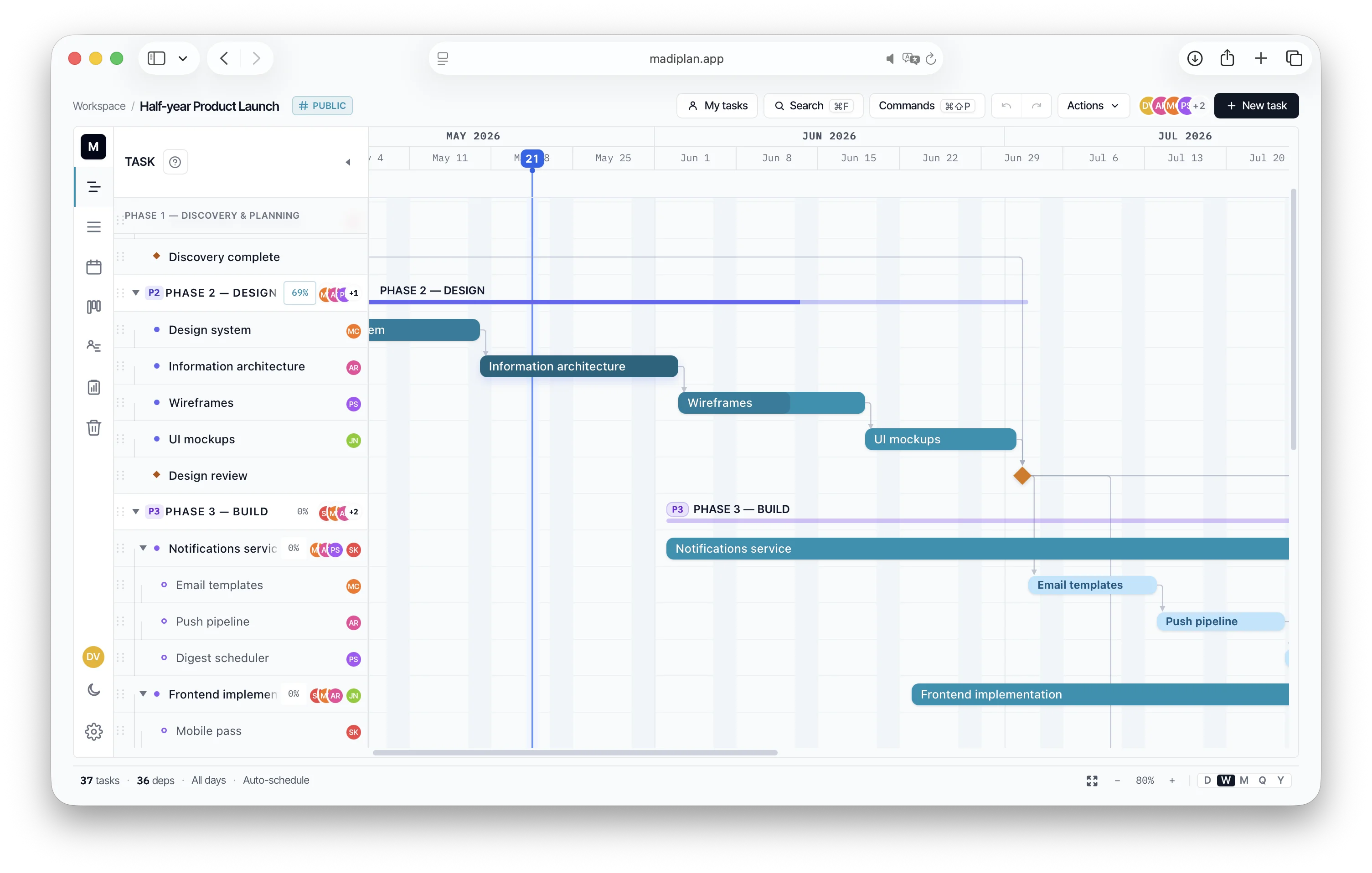
Where Madi fits
Real Gantt, modern surface.
Asana, Notion, task lists
Great at todos. Can't model real dependencies (FS/SS/FF/SF), no critical path, no schedule that updates when one task slips.
MS Project
Has the dependencies and the math. Also has a license, a learning curve, and a desktop install. Not where modern teams want to spend a Monday.
Madi
The dependencies and the critical path, in a browser, in realtime, with templates and shareable links — and an honest mobile read-only posture.
01
Plan & schedule
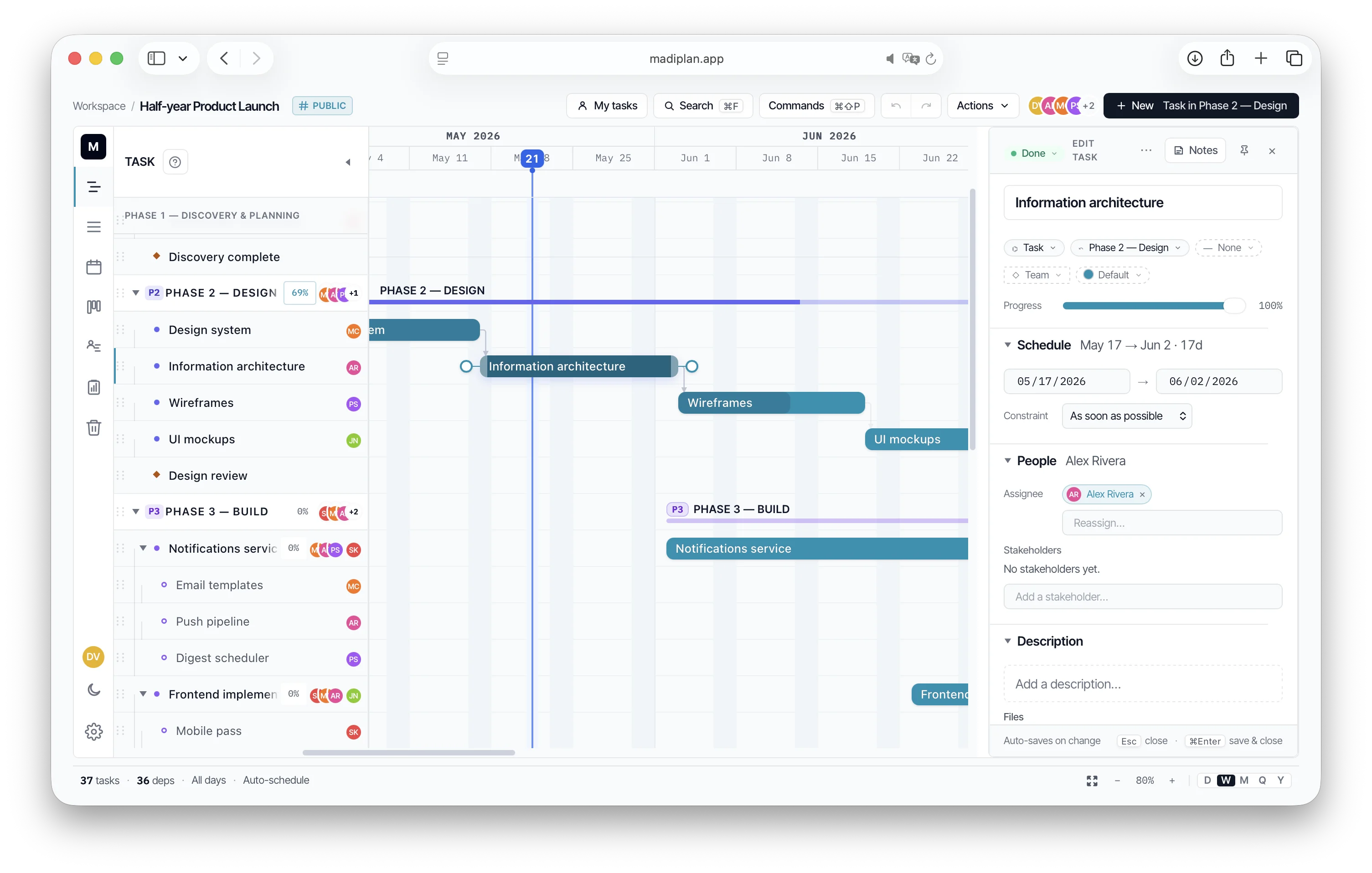
Templates, dependencies, critical path — and the editor that holds the detail when one task isn't enough.
Project templates
Build a reusable starting point — phases, statuses, team legend, workdays — and stamp a new project in one step. Snapshot-on-create, so editing a template never disturbs projects already made from it. Built-in starters included.
Dependencies
Drag bar-to-bar to link. FS, SS, FF, SF with positive or negative lag. Backward links flag in red.
Auto-schedule
One click cascades dates through every dependency, respecting parent envelopes and the working calendar. Conflicts surface inline.
Critical path
Longest-chain highlight to the project's last task. Quick view of where slack is — and isn't.
Rich-text descriptions
Bold, italic, headings, lists, code, links, inline images. Locked by default with an explicit Edit → Save flow.
Progress notes at chart width
Per-task journal opens over the full chart instead of the editor pane. Public or private, same image flow.
02
Views
The same project, five ways.
Gantt
Day / week / month / quarter / year zoom with weekend highlighting, today line, and a sticky header.
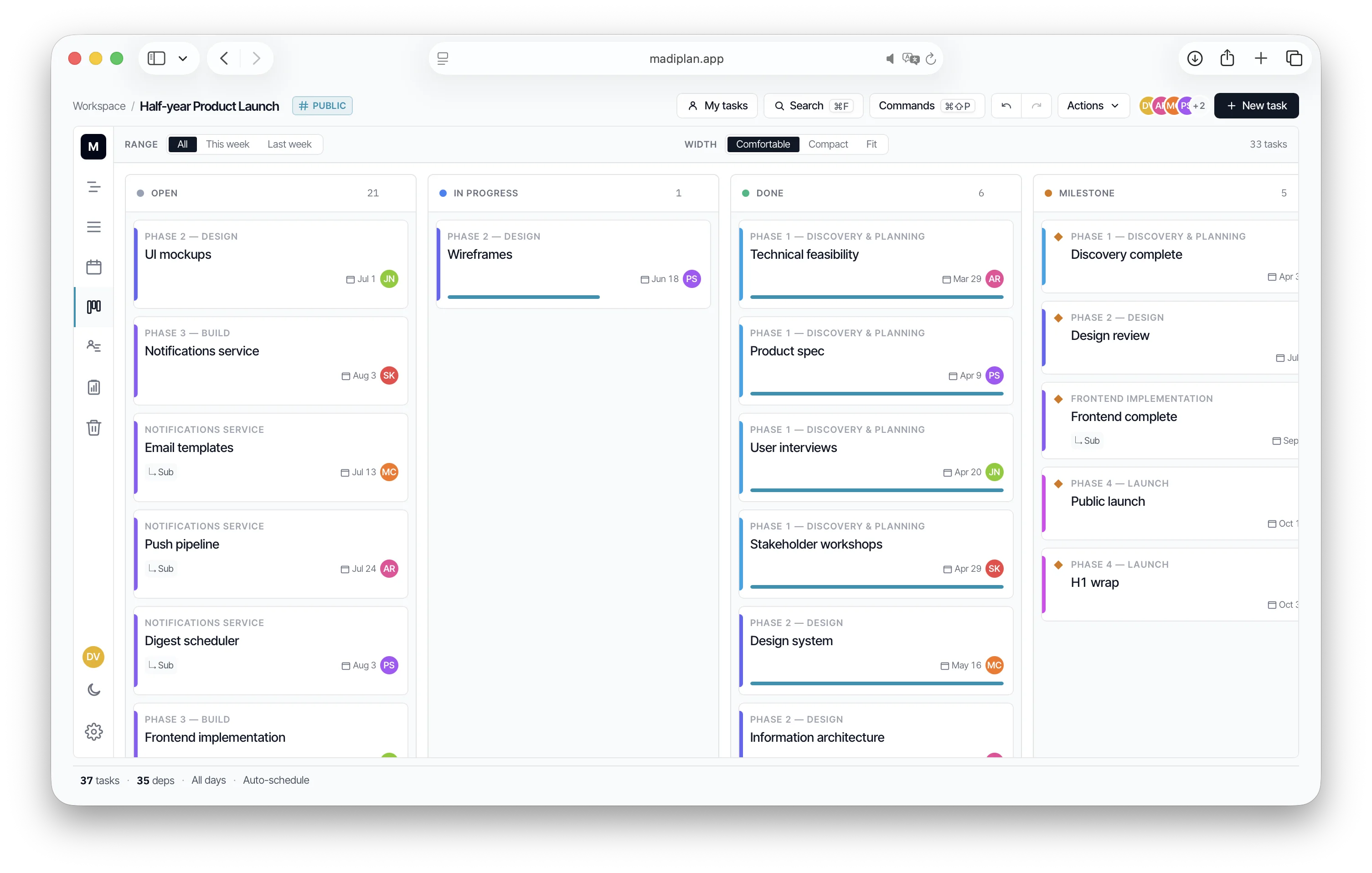
List
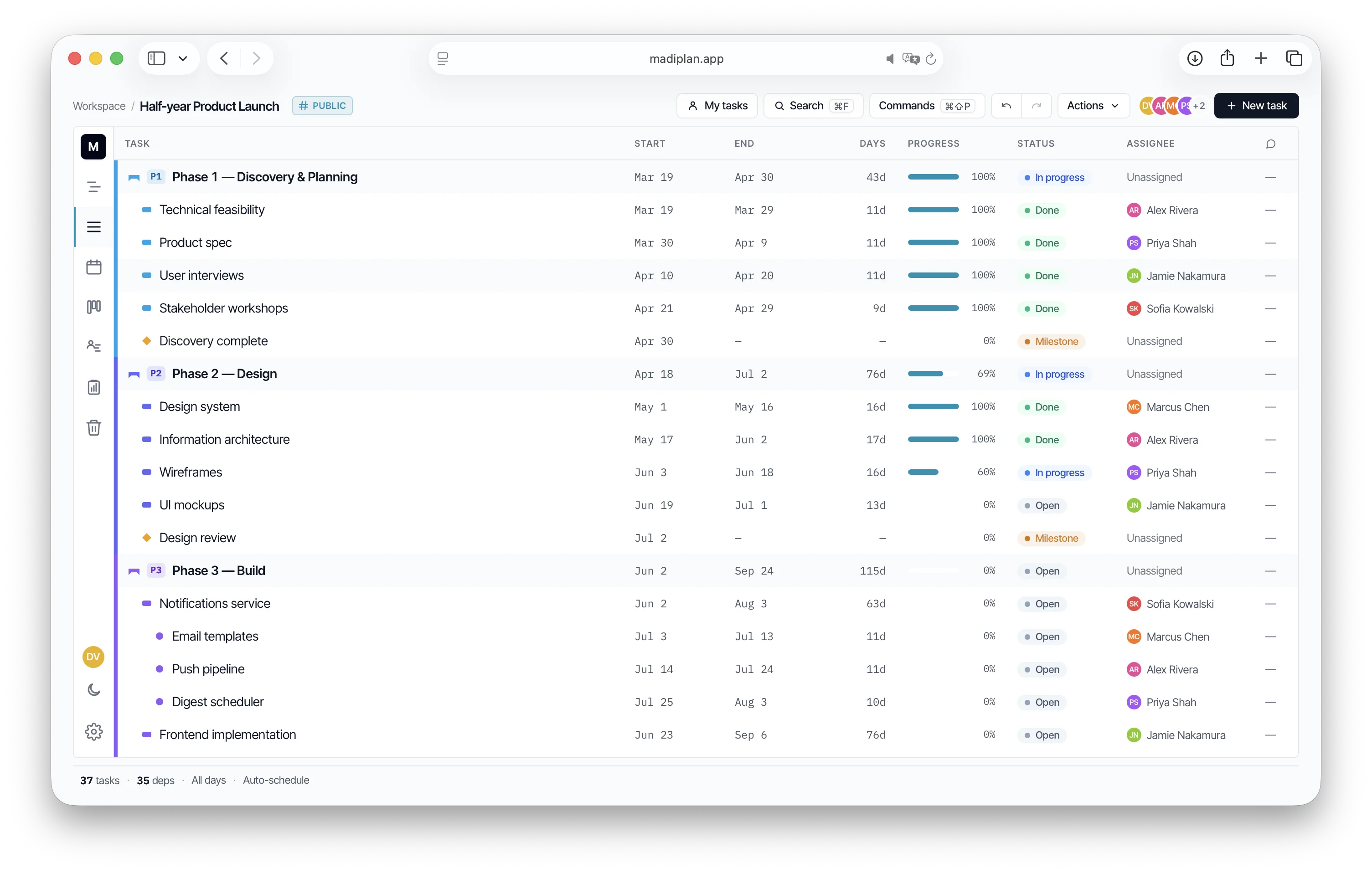
Sortable table with comment counts, status, and bulk-edit. Sort by start, end, progress, assignee.
Calendar
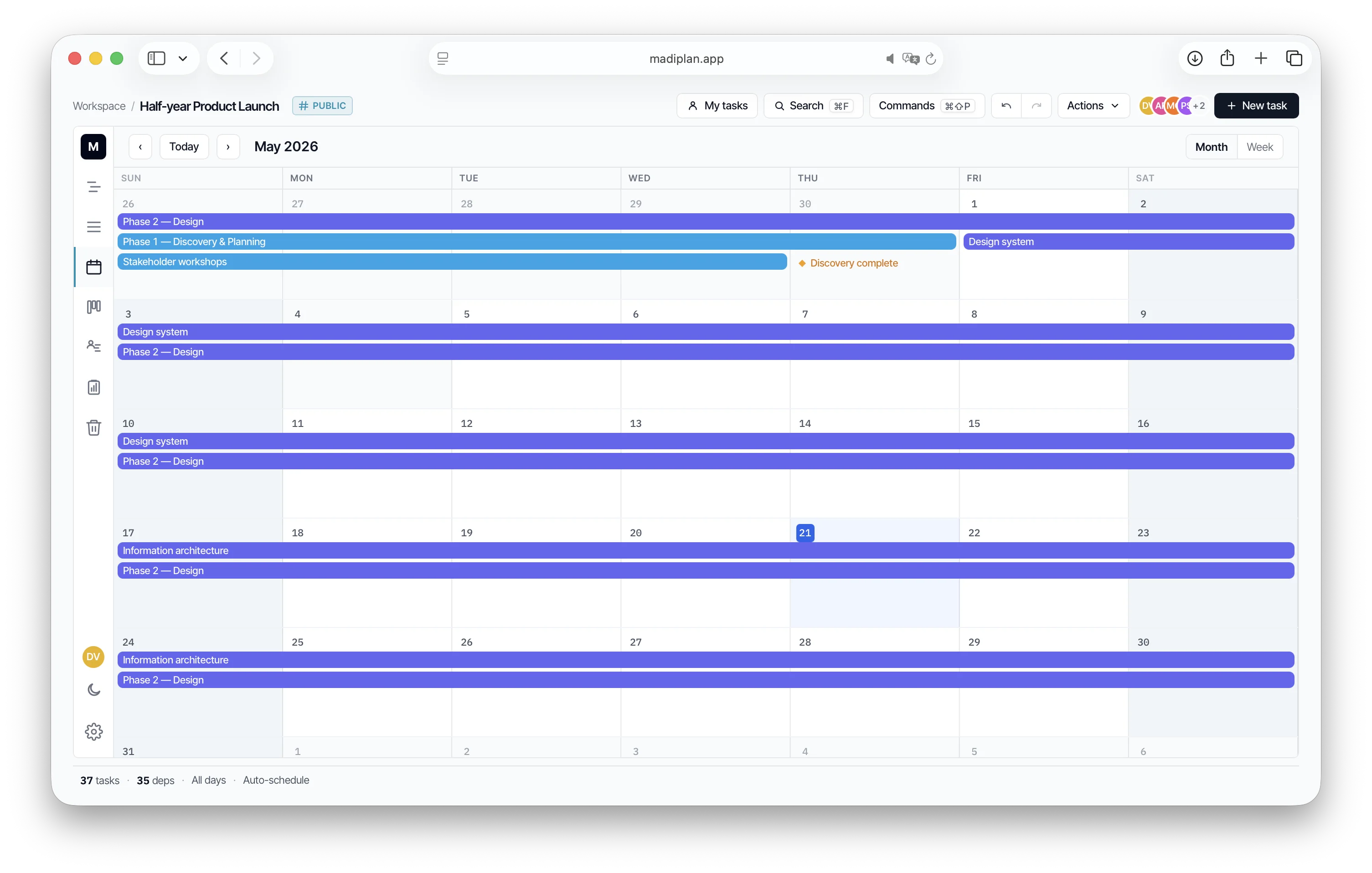
Month and week views with edge-drag resize. Deadlines and concurrent work the way calendars frame time.
Kanban
Status columns for flow-driven teams. Drag a card to update progress; date ranges stay intact.
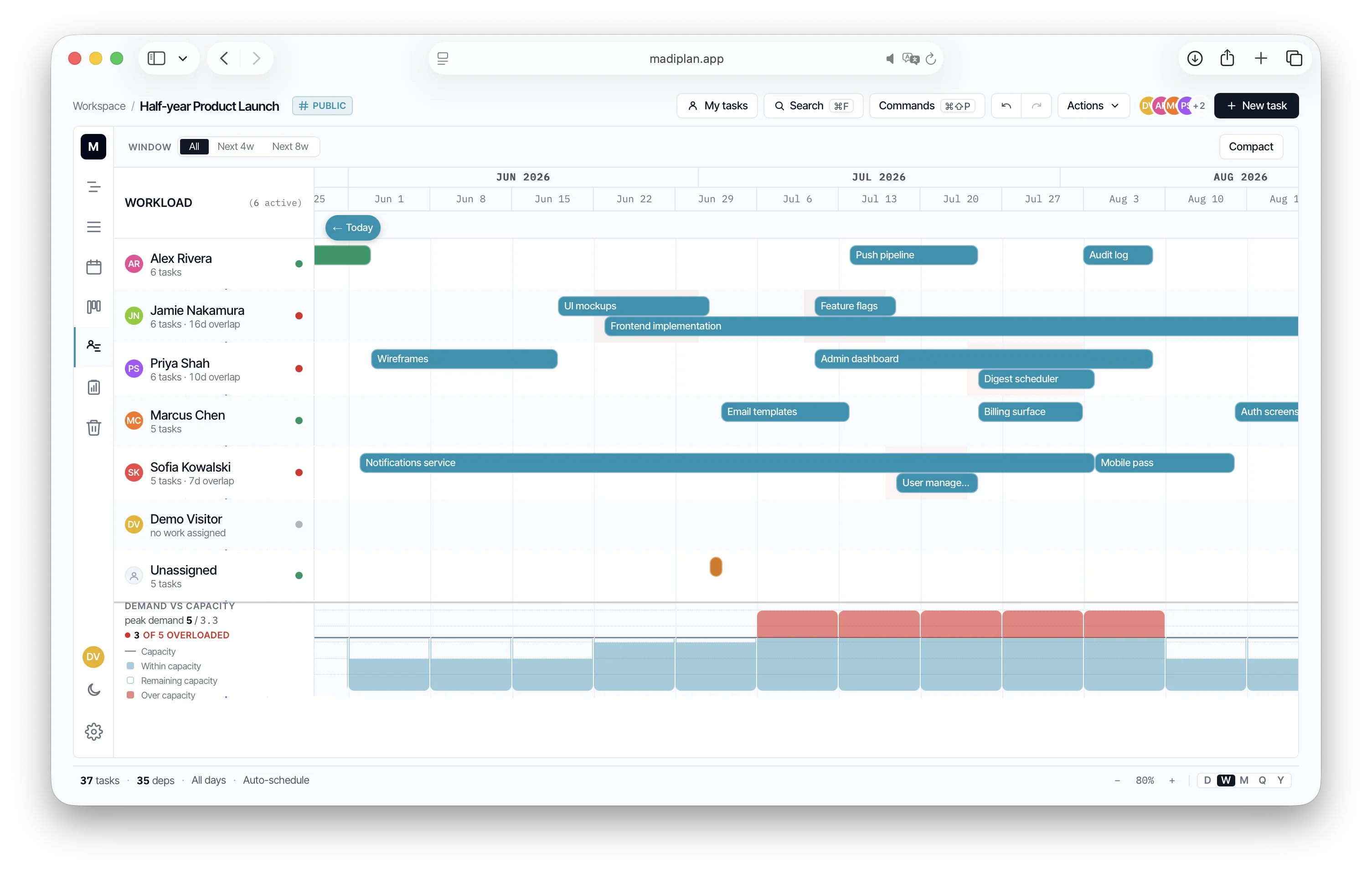
Workload
People as rows, their assigned work as bars on a shared timeline. Spot who's overloaded next week at a glance.
Portfolio timeline
Every project in your workspace on one shared timeline — owner, members, status, milestones, and key dates per row. Filter by relation, time window, and progress; toggle key dates per project to declutter.
03
Collaborate & share
Comments, public shares, Slack DMs, and CSV round-trips. The chart leaves the app cleanly so stakeholders never need a login.
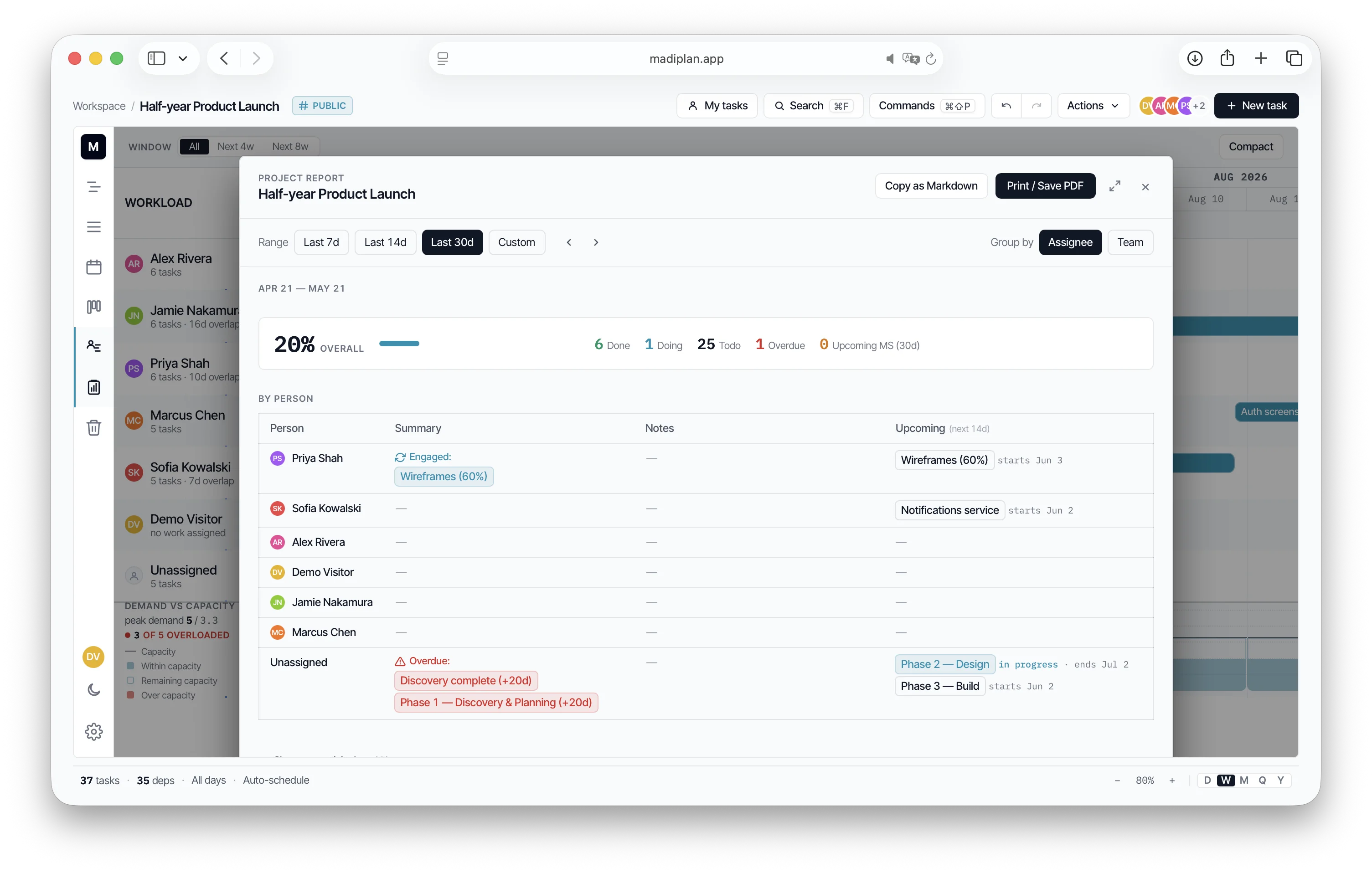
Workspace + members
Invite by email. Auto-colored avatars, per-project participation rate, role-gated edits.
Comments & attachments
Inline comments with @mentions and file attachments. Notifications fan out to assignees, stakeholders, tagged users.
Public links + embeds
Toggle a read-only public URL. Paste the iframe into Notion / Confluence / a README — stays in sync. Revocable.
Import / export
CSV import (Notion-CSV auto-detected), CSV export, PDF export, PNG export. Dates, parents, deps round-trip cleanly.
Slack notifications, opt-in
Workspace owner connects Slack once; each member binds their own account. DMs only, when you're @-mentioned or assigned — no channel spam. Paste a MadiPlan link in any Slack channel where the bot lives and it unfurls with project name + counts.
04
Present
Run the meeting straight off the chart — no slides.
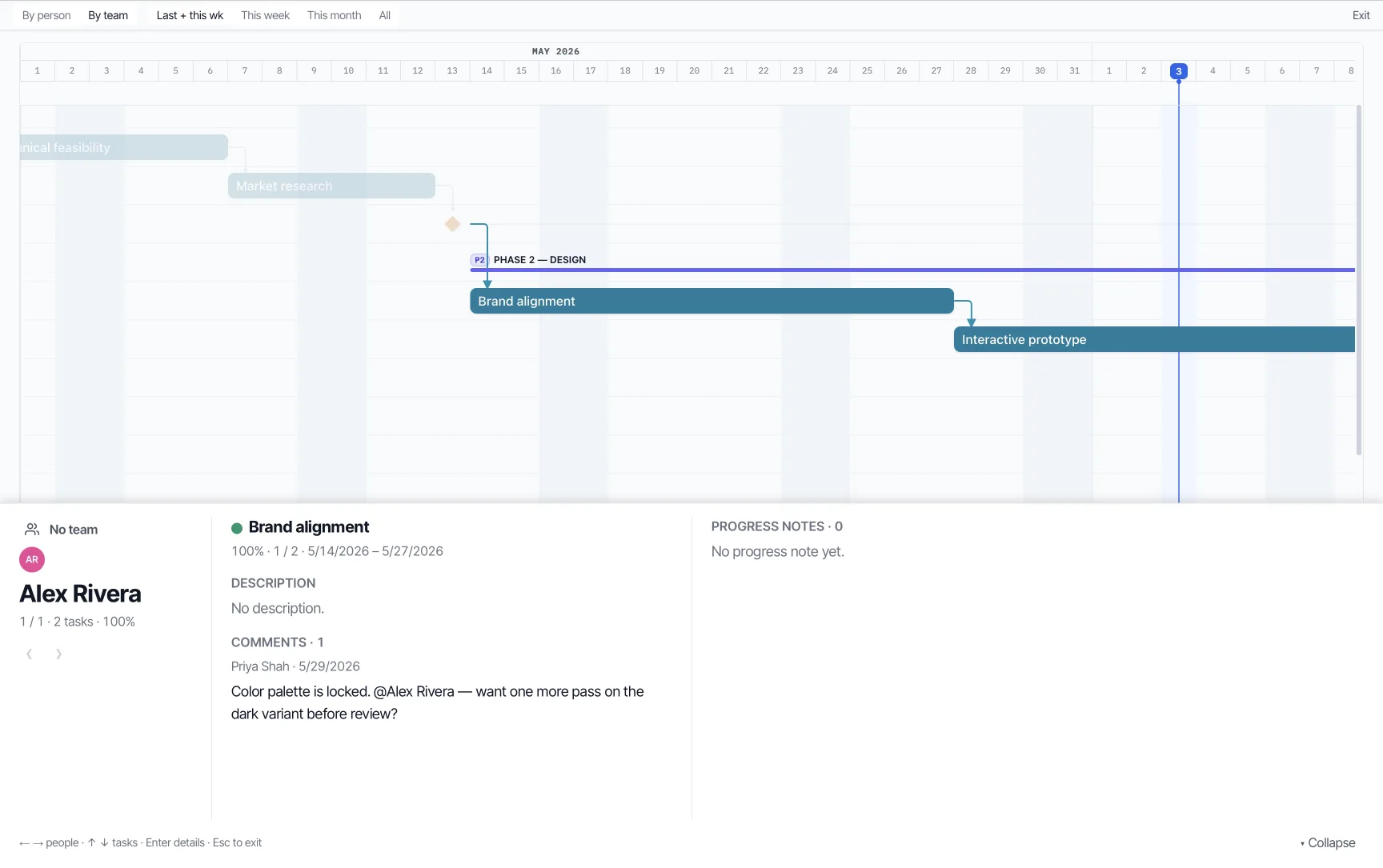
Walkthrough presenter
Run a standup straight off the chart: step person by person (or team by team), the timeline spotlights each one's tasks and frames the current task, with a focus panel of status, comments, and progress notes. Full-screen, keyboard-driven, read-only.
One focus panel
Status, dates, description, comments, and the latest progress notes for the task on screen — your talking points gathered in one place, so you present without clicking around.
Scoped & grouped
Frame last + this week (the standup default), this week, this month, or a person's whole span — and walk by person, or by team (team → person).
Open a sample project and move the plan around.
The demo starts with phases, dependencies, milestones, comments, and multiple views already loaded — feel the product instead of reading more copy.
Mobile is review-only. The chart's drag handles and right-click context don't translate to touch — open Madi on a desktop browser to plan, on phone to check in. The mobile view tells you so and offers a one-tap copy of the URL.